Zoho Mail - Email and Calendar
- 4.5
- Rating
- 5.00M
- Installs
- Free
- Price

 Analysis by App-foxy
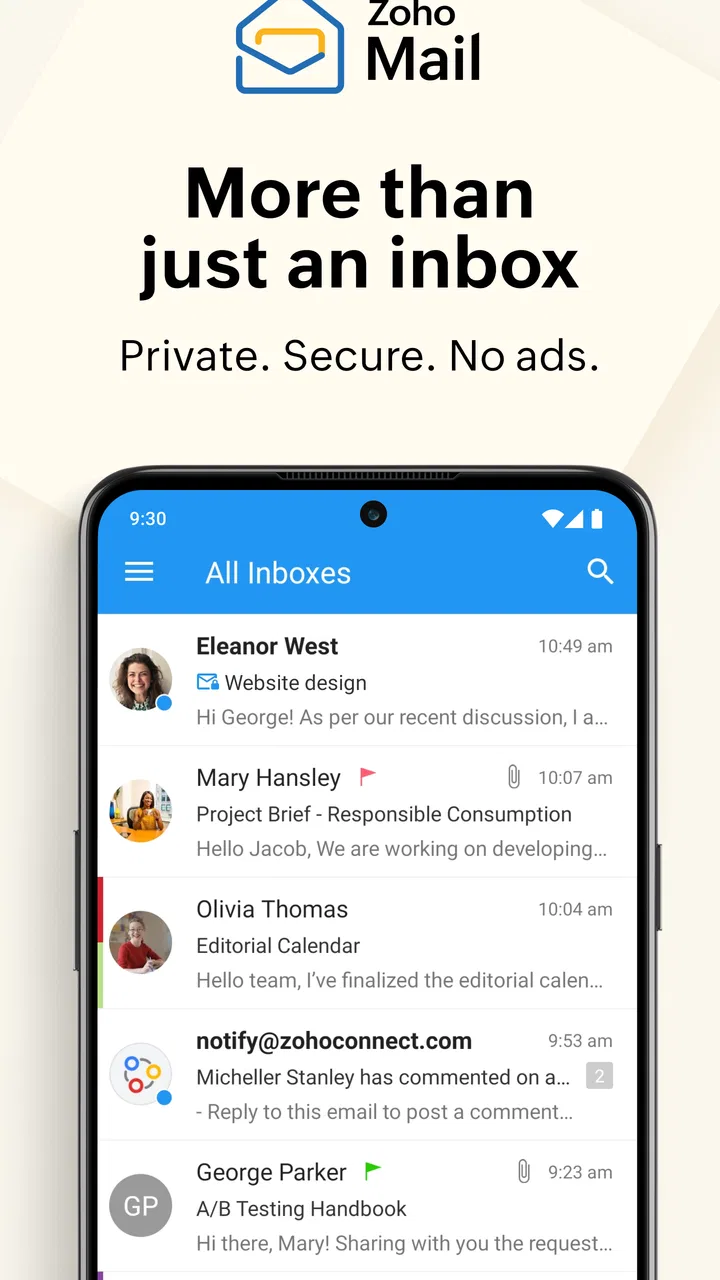
Email is easy to judge when everything is working: messages arrive, attachments open, and the calendar stays in sync. The more revealing test comes when the connection changes, a notification arrives at the wrong moment, or a busy day forces you to manage several kinds of information from a phone. That is where Zoho Mail - Email and Calendar feels most interesting to me. It is a free communication app from Zoho Corporation that brings email, calendar, contacts, and files into one mobile workspace instead of making me jump between unrelated tools.
I approached Zoho Mail as the sort of app I might use for personal organization, work correspondence, and quick decisions while away from a desk. It is not trying to be a playful inbox or a lightweight messaging client. Its appeal is more practical: keep the parts of a typical email routine close together, particularly when the phone is the only screen available. The result is useful, though it also means the experience depends heavily on the quality of the network and on how much of Zoho’s broader workspace you actually need.
How connectivity shapes the everyday experience
The app’s central strength is its connected workflow. A new email can lead to a calendar check, a contact lookup, or a file review without making the phone feel like a collection of separate utilities. That sounds simple, but it matters when I am replying to someone while deciding whether a proposed time works. The less switching I have to do, the less likely I am to lose the thread of the conversation.
You May Also Like

 Blood Strike: 2.5 Anniversary
Blood Strike’s Loadouts Turn Every Drop Into a Tactical Gamble
A close look at Blood Strike’s custom loadouts: how fast access to signature weapons reshapes its battle royale rhythm, rewards preparation, and narrows the gap between fights.

 Pandora - Music & Podcasts
Pandora’s Music Is Easy to Start, but Harder to Recover
Pandora’s strength is its low-effort path from a seed to a station. Its weak spot is how much confidence it asks you to place in connection, setup, and quiet recovery.

 8 Ball Pool
 Is Built on Rivalries, Rematches, and Routine
A close look at the rivalries, rematches, shared routines, and unanswered safety questions that turn a quick pool match into a persistent mobile community.

 Samsung Music
’s Quiet Strength Is Playing What You Already Own
Its reach comes less from spectacle than from dependable access to a personal library. That simplicity is both the app’s strongest retention engine and its ceiling.

 AccuWeather: Weather Radar
AccuWeather Review: A Quick, Clear Forecast for Everyday Decisions
For everyday plans, the best forecast is the one you can understand quickly. AccuWeather makes rain timing, radar, and local conditions easy to act on, with a few trade-offs.

 Hill Climb Racing
Why Hill Climb Racing Still Turns Crashes Into One More Run
A tiny car, a bumpy hill and one more upgrade: Hill Climb Racing keeps resurfacing because its simple chaos makes every near-miss feel personal.
More From Our News Desk



That convenience is also the first trade-off. A connected email and calendar experience is only as dependable as the connection supporting it. When messages need to refresh, calendar information needs to update, or an attachment needs to load, the app becomes more dependent on network conditions than a basic text-only inbox. I would not treat it as a magic solution for poor connectivity. Instead, I see it as a mobile control panel that works best when the phone has a stable path to the relevant information.
In a normal day, that means the app feels quick when I am on reliable Wi-Fi or mobile data. I can scan recent conversations, check an appointment, and return to the inbox without rebuilding the context each time. In a weak-signal area, the experience becomes more cautious: I have to allow extra time for content to appear and avoid assuming that a change has reached the server simply because I tapped a button. That is not unique to this app, but the combined email-and-calendar design makes the effect more noticeable.
A realistic morning-to-evening workflow
Imagine starting the morning with a message asking whether a meeting can move to a different time. In a conventional email app, I might read the message, open a separate calendar, remember the available slot, and return to compose a reply. Here, the value is having those related pieces in the same general environment. I can inspect the conversation, use the calendar context, and respond with fewer interruptions. If the message includes a file, the same mobile session can also be used to check it before I answer.
Later, while commuting, I might need to confirm a contact detail or find an earlier thread. This is where search habits become important. Rather than scrolling through a long inbox, I would use the app as a reference point: find the conversation, verify the person, and make a decision. The experience is most useful for small, repeated actions rather than for writing a long, carefully formatted message on a small screen.
At the end of the day, a calendar reminder or a follow-up message can be handled without opening a desktop browser. That does not make the phone a replacement for every office task. It does make the app practical for keeping work moving between larger-screen sessions. I especially like this role for people who need awareness and quick responses, not a complete desktop-style editing environment in their pocket.
What the mobile setting changes
On a phone, the value of combining email, calendar, contacts, and files is not simply that there are more features. The real benefit is reduced mental switching. When I am standing in a queue or walking between appointments, I do not want to remember which separate app contains the information I need. A unified communication tool gives me a better chance of answering accurately instead of replying first and checking the details later.
There is a subtle discipline required, though. A crowded inbox can become harder to manage when it is always available. I recommend treating the mobile app as a triage tool: identify what needs action, answer short requests, save more involved work for a larger screen, and use the calendar to confirm commitments before agreeing to them. That approach prevents the phone interface from becoming a place where messages are opened repeatedly but never resolved.
For people who frequently handle attachments, the phone context is more complicated. A file may be convenient to inspect, but a small display is not ideal for comparing documents or making detailed edits. The app helps me get to the information, yet it does not remove the limitations of mobile work. If your email routine is mostly reading, forwarding, confirming, and scheduling, the design is a good fit. If it involves extensive document production, a desktop companion remains the better environment.
When a connection fails or behaves slowly
The most important habit with this app is distinguishing between an action I requested and an action that has definitely synchronized. If the network is unstable, I avoid tapping send repeatedly or making several changes in quick succession. First I wait for the interface to settle, then I check the conversation or calendar view before trying again. This simple pause can prevent duplicate replies and unnecessary confusion.
Attachments deserve the same caution. If a file is slow to open, I do not assume it is damaged just because the preview takes time. I check the connection, retry once, and, if the task is important, move to a more dependable network before making a decision based on the file. That workflow is especially sensible for people who use mobile data in crowded places, where network performance can change from one minute to the next.
Notifications can also create a false sense of certainty. Seeing an alert tells me that something needs attention, but it does not guarantee that every part of the message or related calendar information will load instantly. I prefer opening the app before replying to an urgent request, particularly when the response depends on the latest thread or an updated schedule. The extra step is small, but it reduces the chance of acting on incomplete context.
Recovery is easier when I keep my actions simple. If a screen appears stuck, I avoid repeatedly switching between mail, contacts, calendar, and files. I return to the original task, confirm whether the last action completed, and then continue. This is one of those practical details that a store summary cannot explain: a connected app rewards orderly use when the network is unreliable.
Using it without wasting data
People with generous mobile plans may never think about data use, but the app’s combination of messages and files makes a data-conscious routine worthwhile. I would avoid opening every attachment automatically while travelling and reserve larger file reviews for Wi-Fi when possible. Reading short messages is one thing; repeatedly loading documents or refreshing several information areas is another.
A useful approach is to separate urgent communication from browsing. Check the inbox for messages that require a response, handle those first, and postpone optional attachment viewing until the connection is better. This keeps the app focused on decisions rather than turning it into a constant stream of downloads. It also makes the battery and network experience feel more predictable, even without treating the phone as a full office workstation.
I would also be selective about calendar checking. If I am only confirming the next appointment, there is no reason to repeatedly refresh every related area. Open the relevant information, make the decision, and close the loop. This sounds obvious, but unified apps can encourage casual checking because everything is close at hand. A deliberate routine makes the convenience work for me rather than letting it create more screen time.
Who will appreciate the connected design
Zoho Mail is a strong candidate for someone who wants a single mobile place for email, calendar, contacts, and files. It suits freelancers, small teams, students, and anyone who regularly answers messages while moving between locations. The free price also makes it approachable for people who want to try a different communication setup without adding an immediate subscription cost.
It is particularly appealing if your day involves small coordination tasks: confirming a meeting, finding a previous exchange, checking a contact, or reviewing a file before responding. Those actions benefit from being close together. The app also makes sense for users already comfortable with Zoho’s approach to communication, because the developer has clearly positioned this as more than a narrow inbox.
The audience numbers suggest that it is not an obscure experiment. It has passed five million installs, carries an average rating of four and a half from roughly seventy-four thousand ratings, and has about one thousand one hundred written reviews. I treat those figures as useful signs of adoption rather than proof that every workflow will suit me. Email preferences are personal, and a large user base cannot decide whether the interface matches my habits.
The age rating is Everyone, which fits the app’s general-purpose communication role. It was released on August 25, 2014, and the current version is 3.6.2, with Android 6.0 as the minimum operating system. That broad device compatibility is helpful for people who keep an older phone, although the quality of the experience will still depend on the handset, screen, and network rather than the operating-system requirement alone.
Where it differs from familiar alternatives
The usual alternative is a dedicated email app paired with separate calendar and contacts tools. That arrangement can be excellent when each component is best in its own category, and it may feel more familiar to someone already committed to another provider’s ecosystem. The drawback is the repeated handoff between apps. Zoho Mail’s case is strongest when reducing those handoffs matters more than using the most specialized tool in every category.
Compared with a basic mail client, this app feels broader and more context-oriented. I can think beyond the message itself and connect it with scheduling, people, and files. Compared with a large all-purpose productivity suite, its advantage is focus: the experience remains centered on communication rather than trying to become an entire office. The right choice depends on whether you value a compact connected workflow or prefer a more established ecosystem with a larger collection of familiar integrations.
I would not choose it solely because it includes several functions in one place. Consolidation is helpful only if the included areas match my real routine. Someone who lives inside another calendar system, depends on a particular email search style, or needs advanced desktop mail controls may feel more comfortable elsewhere. In that situation, the convenience of one mobile app may not outweigh the effort of changing habits.
Small habits that make the app more reliable
My first recommendation is to use the calendar before composing a firm reply to a scheduling request. It is a small workflow change, but it prevents the common mistake of promising a time and discovering a conflict later. Because the calendar sits alongside communication tools, this check can become part of the response process rather than an afterthought.
Second, use contacts as a verification step when a conversation involves several people with similar names. A quick check can help avoid sending a sensitive file or meeting detail to the wrong recipient. This is not glamorous, but it is one of the practical reasons to keep communication and contact information close together.
Third, treat files as a separate decision point. Read the message first, decide whether the attachment is necessary now, and only then open it. This keeps a weak connection from controlling the whole session and is a better approach for anyone watching mobile-data consumption. It also reduces the chance of making a rushed decision from a partial preview.
Finally, when a network is inconsistent, make one change at a time. Send a reply, verify the result, then move to the calendar or file. The app’s connected design makes multitasking tempting, but sequential actions are easier to audit when synchronization is delayed. That is the difference between merely having several tools together and using them intelligently.
Who should skip it
I would skip Zoho Mail if I want an email-only app with no interest in calendar, contacts, or file access. The broader workspace is part of its identity, so someone seeking the leanest possible inbox may find the surrounding tools unnecessary. I would also hesitate if my work depends on complex message management, extensive document editing, or a desktop-first workflow that must be reproduced perfectly on a phone.
It may not be the best choice for someone who spends most of the day in areas with unreliable connectivity and needs every action to feel immediate. The app can still be useful for checking communication when conditions allow, but a network-dependent workflow requires patience and verification. If that sounds frustrating rather than manageable, a simpler setup may feel less demanding.
Likewise, users deeply invested in another provider’s calendar and contacts may gain little from switching. Moving communication habits takes time, and the combined design only pays off when I actually use those connected pieces. If I would continue opening other apps for every important task, the main advantage would largely disappear.
My connectivity verdict
After looking at the app through the situations that matter on a phone, I see Zoho Mail as a practical communication hub rather than a universal replacement for every productivity tool. Its best quality is the relationship between email, calendar, contacts, and files. That relationship saves time when a message needs context, especially during a busy day away from a desk.
Its main limitation is equally clear: the connected experience asks for a dependable network and sensible habits. I would not rely on a notification alone, repeatedly retry an uncertain action, or load large files casually on mobile data. Used with those precautions, the app feels organized and capable without becoming unnecessarily complicated.
For me, the recommendation is strongest for people who want mobile communication to support decisions, not just display messages. The free access, Everyone rating, broad Android compatibility, and established adoption make it easy to consider, while the current version shows that the app remains maintained as part of Zoho Corporation’s communication offering. The real reason to choose it is the connected workflow, not the feature count.
If your everyday routine involves checking a conversation, confirming a time, finding a person, and reviewing a file from the same phone, I think it is worth trying. If you want a minimal inbox, depend on advanced desktop controls, or dislike waiting for network-dependent information, a more specialized alternative may serve you better. My final view is positive but practical: this is a useful mobile companion when connectivity and organization matter more than absolute simplicity.
FAQs for Zoho Mail - Email and Calendar
01What is Zoho Mail - Email and Calendar?
Zoho Mail - Email and Calendar is a productivity app that combines business and personal email management with calendar tools. From the mobile app, you can read, send, organize, and search messages, manage multiple accounts, view conversations, and schedule events. It is especially aimed at users who already use Zoho Workplace or need a structured alternative to mainstream email services.
02Can I use Zoho Mail with a personal email address, or is it only for businesses?
Zoho Mail is commonly associated with business email and custom domains, but the app can also be useful for individual users depending on the account plan and region. Business users can access organization-managed mailboxes, while administrators may control security and account settings. Before downloading, check Zoho’s current plan availability because features, storage, and account options can change.
03Does the app include a calendar and support meetings or reminders?
Yes. Zoho Mail - Email and Calendar includes calendar features that let you view schedules, create events, set reminders, and manage appointments from the same mobile environment as your inbox. Depending on your Zoho account and organization settings, you may also be able to invite participants, respond to event invitations, and coordinate meetings. Some advanced collaboration functions may require a supported subscription.
04Is Zoho Mail secure enough for business and private communication?
Zoho Mail provides security features such as encrypted connections, spam filtering, account protection, and support for organization policies. The exact protection available depends on your account type, administrator configuration, device security, and enabled login options. Users should still activate strong passwords and available two-factor authentication, avoid suspicious attachments, and keep the app updated for the best overall protection.
05What are the main limitations to consider before downloading Zoho Mail?
The app works best when you are already part of the Zoho ecosystem, so users accustomed to Gmail, Outlook, or another provider may need time to learn its layout and workflow. Certain features can depend on your subscription, organization permissions, or internet connection. Notifications and synchronization may also be affected by phone battery restrictions, account settings, or background activity limits.
Pros
- Clean
- ad-free inbox with strong privacy controls.
- Powerful filters and sorting help manage busy mailboxes.
- Supports custom domains for professional email addresses.
- Integrated calendar makes scheduling easier within the same app.
- Works well with Zoho’s broader productivity and business tools.
Cons
- Some advanced features require a paid Zoho Workplace plan.
- The interface can feel less familiar than Gmail or Outlook.
- Third-party email integrations may require extra configuration.
- Push notifications can occasionally be delayed on mobile devices.
- Storage and attachment limits vary depending on the selected plan.

Zoho Mail - Email and Calendar
Gallery